
The Complete Guide to the OpenTofu Native Test Framework
Learn how to use the OpenTofu test command to test your code before it hits production.

The manual verification of infrastructure is not sustainable. OpenTofu’s native test framework replaces the "deploy and pray" method with a built-in system to validate code before it reaches production.
Historically, testing required external tools like Terratest (Go) or Kitchen-Terraform (Ruby). OpenTofu eliminates this language gap by allowing you to write tests in the same HCL syntax used for your resources. This integration keeps your testing logic and infrastructure code in the same ecosystem, reducing context switching and simplifying the CI/CD pipeline.
The Core: The tofu test Command
The framework operates using .tftest.hcl files. These files are distinct from your standard configuration and are designed to orchestrate test runs and evaluate assertions.
A test is structured into run blocks. Each block specifies an action—either a plan or an apply—and a series of assertions that must evaluate to true for the test to pass.
# tests/s3_internal.tftest.hcl

variables {
  bucket_prefix = "internal-data-"
}

run "validate_encryption" {
  command = plan

  assert {
    condition     = aws_s3_bucket.data.server_side_encryption_configuration[0].rule[0].apply_server_side_encryption_by_default[0].sse_algorithm == "aws:kms"
    error_message = "S3 bucket must use KMS encryption."
  }
}
Running tofu test in your terminal triggers OpenTofu to discover these files, execute the defined stages, and report failures with your custom error messages.
Directory Structure and File Organization
For OpenTofu to discover and execute your tests efficiently, you must follow a specific directory convention. By default, the tofu test command looks for files with the .tftest.hcl extension in the root of your module or within a dedicated subdirectory named tests/.
Organizing tests into a tests/ directory is the recommended approach for maintaining a clean workspace, especially as your test suite grows to cover different environments or edge cases.
Layout Example
A standard, well-organized OpenTofu project should look like this:
my-infrastructure-module/
├── main.tf          # Primary resource definitions
├── variables.tf     # Input variables
├── outputs.tf       # Module outputs
├── tests/           # Dedicated test directory
│   ├── setup/       # Optional: Helper modules for test prerequisites
│   │   └── main.tf
│   ├── unit.tftest.hcl        # Plan-only tests for logic validation
│   └── integration.tftest.hcl # Apply tests for cloud-side validation
└── examples/        # Real-world usage examples
How OpenTofu Discovers Tests
When you run tofu test, the engine performs the following:
- Module Loading: It loads the current working directory as the "module under test."
- File Discovery: It searches the root and the
tests/folder for any file ending in.tftest.hcl. - Sequential Execution: It executes the
runblocks in the order they appear within the files. If you have multiple files, they are typically executed in alphabetical order. - Helper Modules: If your tests require supporting infrastructure (like a pre-existing SSH key or a shared management VPC), you can reference them in your
runblocks using themoduleblock nested inside the test file.
By keeping your tests in the tests/ directory, you ensure that they are packaged alongside your code but remain distinct from the production configuration. This structure is also what Scalr looks for when it automates your module validation; it identifies the tests/ directory to run quality checks before certifying a module in your Private Module Registry.
Advanced Validation: Plan vs. Apply
The framework supports two primary testing levels:
Plan-level tests: These validate logic, variable constraints, and naming conventions without creating actual resources. This is ideal for fast feedback loops and verifying that count or for_each logic behaves as expected.
Apply-level tests: These perform real-world integration checks by deploying resources. This is necessary to catch cloud-side errors, such as API permission issues or regional service availability. OpenTofu handles the entire lifecycle here, automatically destroying all test-created resources once the assertions are complete.
Mocking and Dependency Chaining
For complex environments, you can use mock_provider to simulate cloud API responses. This allows you to test module logic in air-gapped CI environments or stay within budget by avoiding real resource costs.
Mocking allows you to simulate a provider's behavior. OpenTofu will generate "fake" data for any computed attributes that would normally be returned by the cloud, such as a VPC ID or an ARN, allowing your tests to run through the logic without a single network call.
How to Implement Mocks
You define a mock at the top of your .tftest.hcl file. While OpenTofu can generate random strings for attributes, you often need specific values to satisfy validation logic later in your module. You can achieve this using mock_data or mock_resource blocks within the provider mock.
# tests/mock_example.tftest.hcl

mock_provider "aws" {
  # Define custom returns for specific data sources
  mock_data "aws_ami" {
    defaults = {
      id   = "ami-12345678"
      arn  = "arn:aws:ec2:us-east-1::image/ami-12345678"
      name = "mock-ubuntu-ami"
    }
  }

  # Define custom returns for resources
  mock_resource "aws_instance" {
    defaults = {
      private_ip = "10.0.0.15"
    }
  }
}

run "logic_check_without_cloud" {
  command = plan

  assert {
    condition     = aws_instance.web.ami == "ami-12345678"
    error_message = "The instance did not use the expected (mocked) AMI ID."
  }
}
Sharing Data
The native test framework is not limited to isolated checks; it is designed to handle multi-stage deployments. By default, each run block in a .tftest.hcl file is executed sequentially. Crucially, any block can access the state and outputs generated by a previous block.
This allows you to build a logical "pipeline" within a single test file. You can deploy core networking, verify it works, and then pass those specific attributes, such as Subnet IDs or Security Group IDs, into a subsequent block that deploys an application or database.
Implementing Data Sharing
To share data, you use the run block's ability to reference previous outputs. In the example below, the second block dynamically pulls the VPC ID from the first block to ensure the resource is placed correctly.
# tests/integration_workflow.tftest.hcl

run "setup_network" {
  module {
    source = "./modules/network"
  }

  variables {
    cidr_block = "10.0.0.0/16"
  }
}

run "deploy_database" {
  variables {
    # Reference the output from the "setup_network" run block
    vpc_id    = run.setup_network.vpc_id
    subnet_id = run.setup_network.public_subnets[0]
  }

  assert {
    condition     = aws_db_instance.main.address != ""
    error_message = "Database failed to provision an endpoint."
  }
}
Why This Matters for End-to-End Testing
- Modular Validation: You can test how separate modules interact without writing a single "giant" module for testing purposes.
- Stateful Testing: You can perform an action in one block and verify the side effects in the next.
- Reduced Flakiness: Because the blocks are executed in order and wait for completion, you avoid race conditions where a test tries to verify a resource that hasn't finished provisioning.
Infrastructure Quality at Scale with Scalr
Writing tests locally is the first step, but enforcing them across an organization requires a centralized platform. Scalr bridges this gap by integrating the OpenTofu test framework into its Private Module Registry.
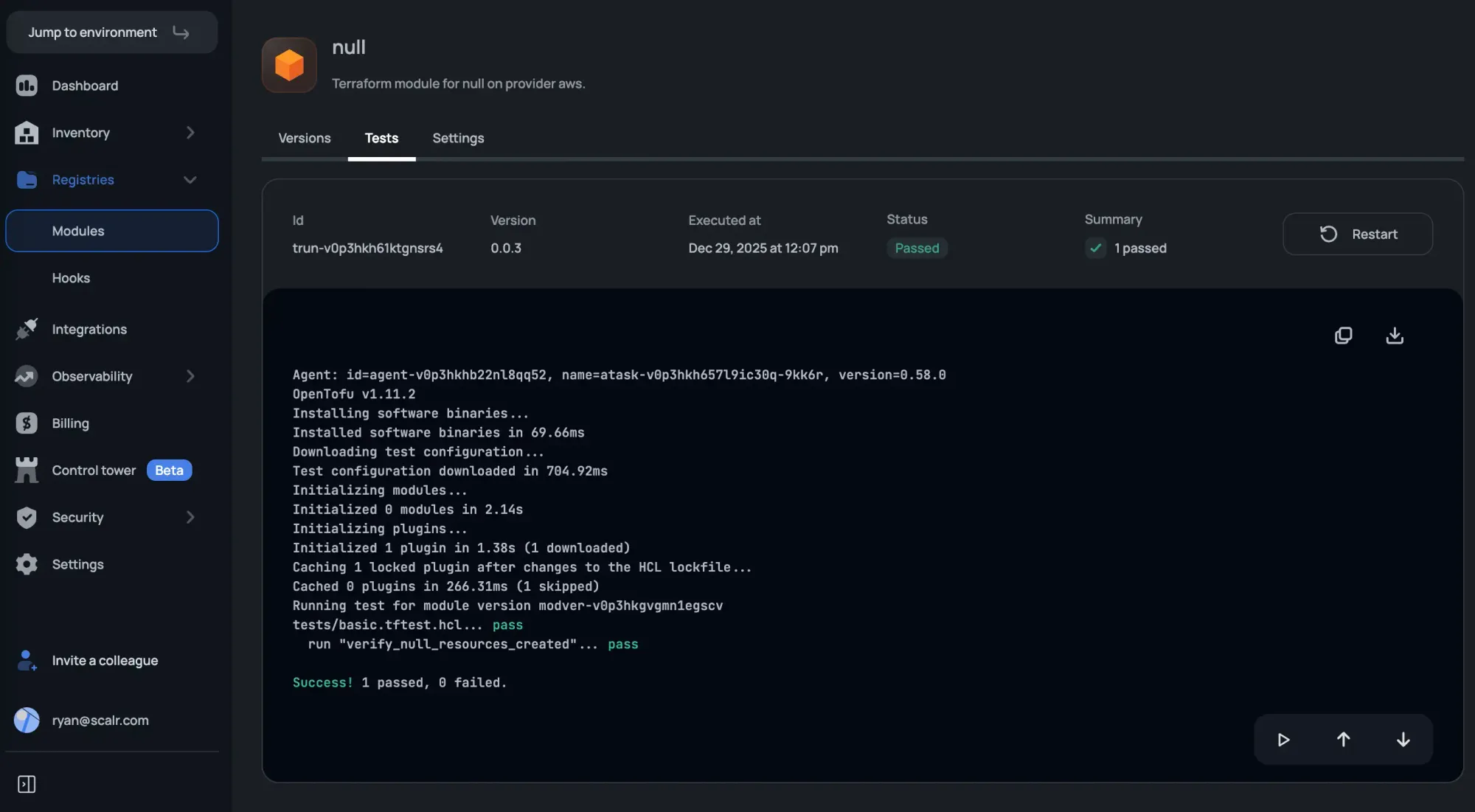
When a module is pushed to the Scalr registry, you trigger the tofu test suite. This creates a quality gate; if the HCL assertions fail, the module version is flagged, notifying developers before pulling broken or non-compliant code into their environments.
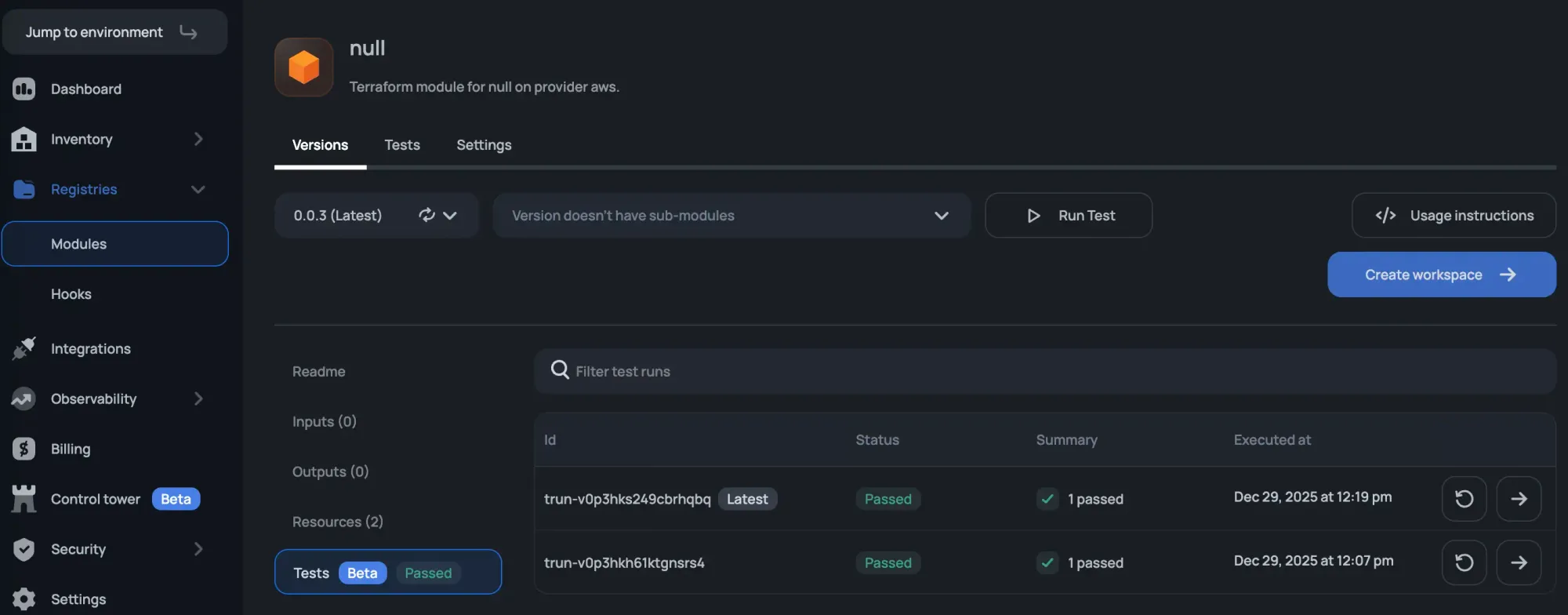
By offloading test execution to Scalr, you ensure that every module in your ecosystem is verified against your internal standards before it is ever used in a production workspace.